
PLEASE WATCH THIS VIDEO IN FULL BEFORE YOU DO ANYTHING ELSE
SITE MANAGEMENT
CONNECT WISHLIST & OPTIMIZEPRESS
In this video Alex covers connecting your OptimizePress and WishList Member accounts to your new members area. This is a very important first step as it ensures usability of the 2 most crucial plugins. Use this link to grab an additional bonus for OptimizePress.
CHECKING WEBMAIL VIA CPANEL
Some important email addresses have been created for you, in this video, Alex explains how to check your email in the webmail client in your CPanel.
INSTALLING A HELPDESK
In this video Randy covers how to install a customer support helpdesk to help you provide a better service to your customers. While it is technically possible to run your support via email, it is very impractical and can lead to miscommunication and a poor customer relationship.
LINKING TO YOUR HELPDESK
The support page inside your member's area links to an email address. This means that when someone clicks the button to get help, it will open their email client and send you an email. If you have created your own help desk, then you will need to change the link in your members area support page so that it points to your help desk instead of your email address.
ADDING & REMOVING MEMBERS
In this video Alex covers manually adding or removing users using Wishlist Member and the WordPress "Users" tab. You may need to do this for any number of reasons, some of which are outlined in the video.
SEARCHING FOR A MEMBER
In this video Alex covers how to search and find a specific customer within the Wishlist Member plugin. While this may seem like an obvious and basic thing to do, Wishlist has a few advanced search features that it's worth knowing about.
PASSWORD MANAGEMENT
In this video Alex covers how to manage your customers' password within the Wishlist Member plugin. In our exprerience, this will be one of the most common tasks you'll need to undertake for your users as lost passwords/details is an all-to-common occurence.
RECRUITING AFFILIATES
LISTING YOUR LAUNCH ON MUNCHEYE
In this video John shows you how to list your product on Muncheye to expose your launch to affiliates. Muncheye is the biggest JV launch calendar online so DO NOT MISS OUT THIS STEP.
RECRUITING AFFILIATES THAT ACTUALLY PROMOTE
In this live webinar recording John and Randy present a comprehensive guide to JV recruitment. This presentation covers everything you need to know to recruit affiliates who will actually promote your offer.
USING AI TO RECRUIT AFFILIATES
APPROVING AFFILIATES IN WARRIOR+
In this video we show you how to review affiliate requests in Warrior+ and how to approve or deny affiliates to promote your offer.
When you approve an affiliate they will be added to your AWeber JV list, it is crucial that you keep your affiliates updated before and during your launch as outlined in The 6 Figure Launch Battleplan below. You can also mail these affiliates when you have future launches.
SETTING UP A JV CONTEST IN WARRIOR+
In this video we show you how to setup a JV contest in Warrior+, this gives your affiliates a massive incentive to promote your offer so they can see their name on your leaderboard.
Note! If you can't offer any prize money have a bragging rights contest so you don't have to pay out any prize money.
THE 6 FIGURE LAUNCH BATTLEPLAN
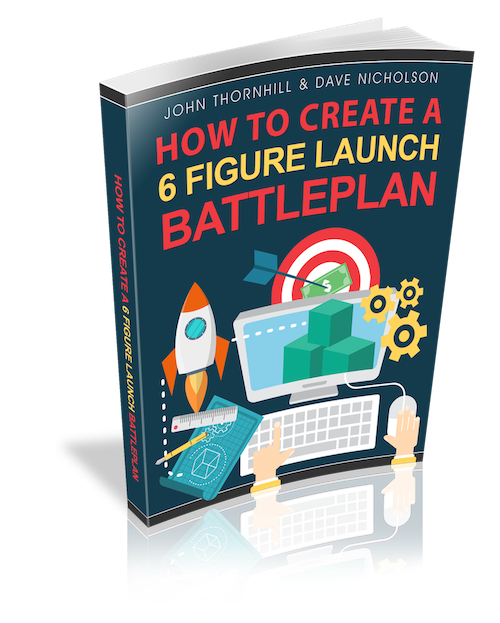
By John Thornhill & Dave Nicholson
The launch checklist we are about to provide you with is the same checklist that we use ourselves when we have a launch, and one which we have put all of our online experience into. If you implement the steps in this checklist, you will be guaranteed to achieve more sales.
You can download your ultimate launch battleplan here.
POST LAUNCH PROFITS
MAKING SALES AFTER YOUR LAUNCH HAS ENDED
In this presentation John & Randy discuss how to keep generating sales after your launch has ended and how to keep recruiting affiliates to promote your offer. By following this training you will put yourself in a position to generate sale after sale for months or even years after your main launch has ended.
WINNING THE EMAIL MARKETING WARS
In this session, John and Randy explore the core principles of effective email marketing, from understanding why your email list is your most valuable asset, to crafting content with purpose, clarity, and consistency. We covered the importance of frequency, formatting, and finding your voice, along with how to use AI tools, swipe files, and follow-up sequences to boost engagement and conversions.
USING AI TO FIND YOUR VOICE
HOW TO SEND A BROADCAST EMAIL IN AWEBER
Learn exactly how to create, schedule, and send a broadcast email in AWeber so you can engage your subscribers, promote your offers, and drive instant traffic and sales with just a few clicks.

© Rapid AI Launchpad. All Rights Reserved. Terms & Conditions | Privacy Policy | Support